 In from the start
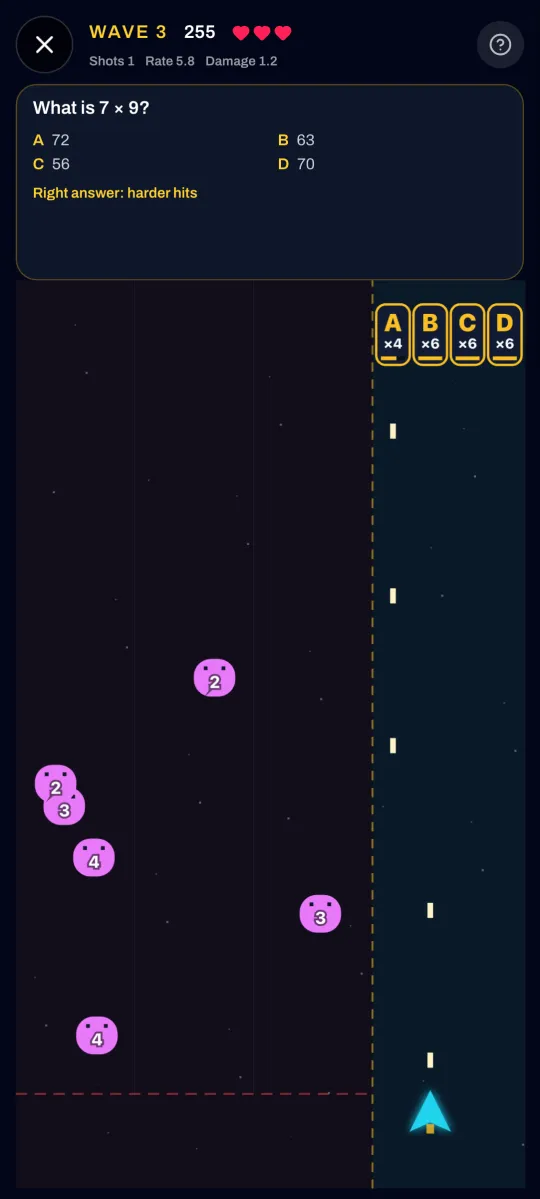
Quest Blaster
Read the question, fly under the right letter, and fire.
Every times table from ×2 to ×12 is in from the start. One purchase opens six more games plus Math, English and Science up to 12th grade. No subscription, no ads, no accounts.
Get it on Google PlayComing to iPhone.
My kids love phone games. A lot of the free ones are pretty brainless, and that's fine. Kids need a little brainless. What bugged me was the ads, over and over, selling them the next thing to download.
So we made the version I'd want to hand them. It's still arcade games, and some of it is still gloriously brainless. But where the ads would go, there's a question. It starts where your kid is, times tables first, then Math, English and Science at their own grade. It keeps track of what they've got down, so next up is always the next thing to learn.
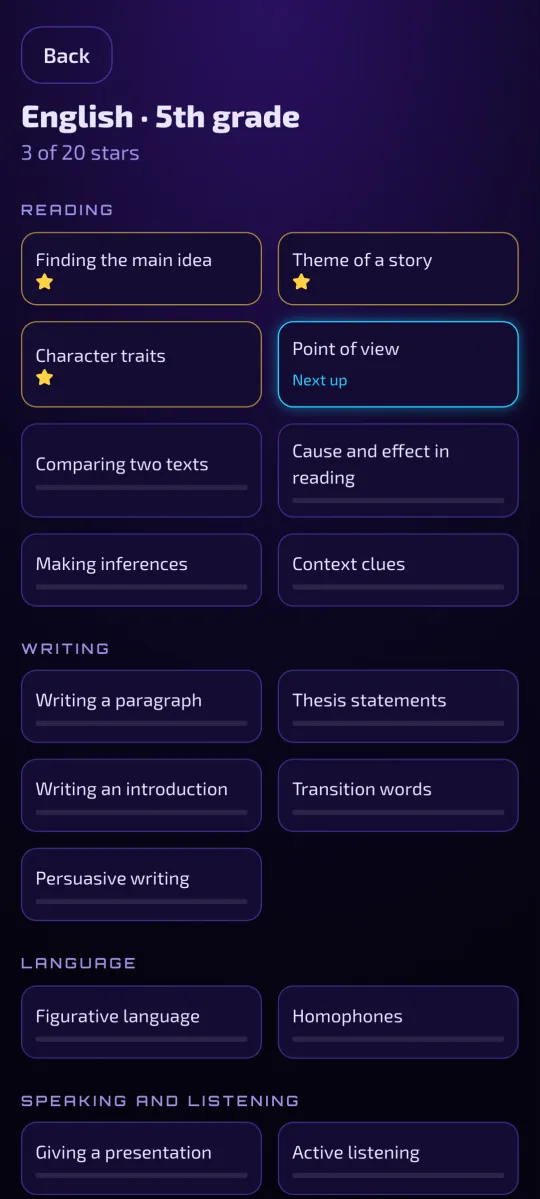
Math, English and Science from 2nd grade through 12th. That's 231 topics, and each kid sees the ones for their own grade. A few from each:
Getting one right by luck doesn't count. Here's how the app decides your kid has it down.
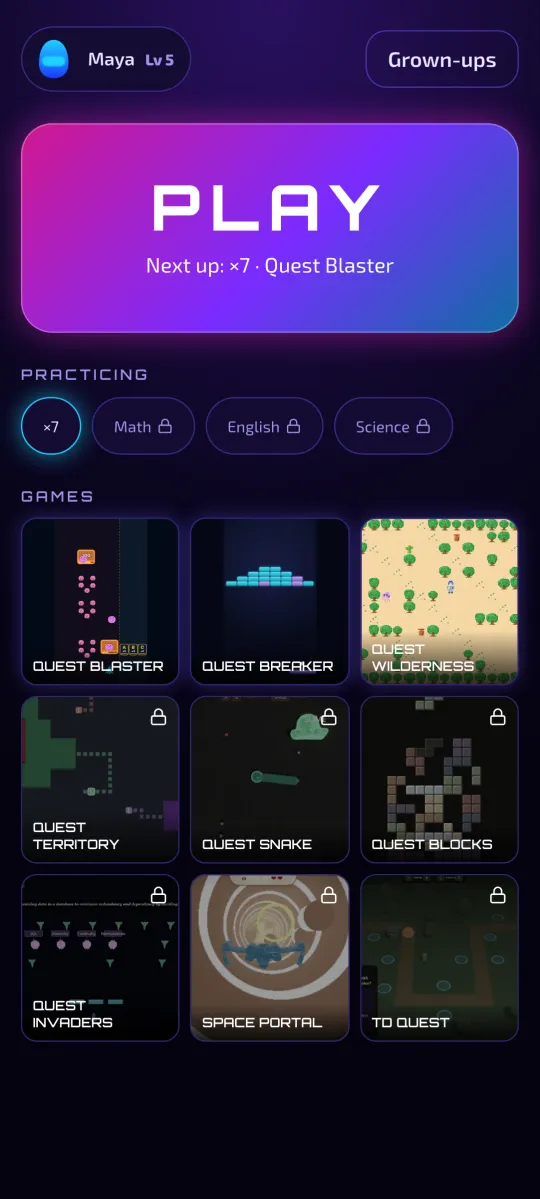
Three are in from the start. The purchase lights up the other six.
In from the startRead the question, fly under the right letter, and fire.
 In from the start
Break bricks. Every 10 bricks, a quick question.
 In from the start
Explore a pixel world. Right answers win the battles.
 With the unlock
Draw a loop and claim everything inside it. Answer right for a power-up.
 With the unlock
Collect orbs, dodge monsters, and answer right to grow.
 With the unlock
Stack falling stones. Clear 5 lines for a question, and get it right to slow everything down.
 With the unlock
Blast the alien carrying the right answer, then take down the boss.
 With the unlock
Fly through portals and answer questions in deep space.
 With the unlock
Build towers along the path, and answer questions to upgrade them.
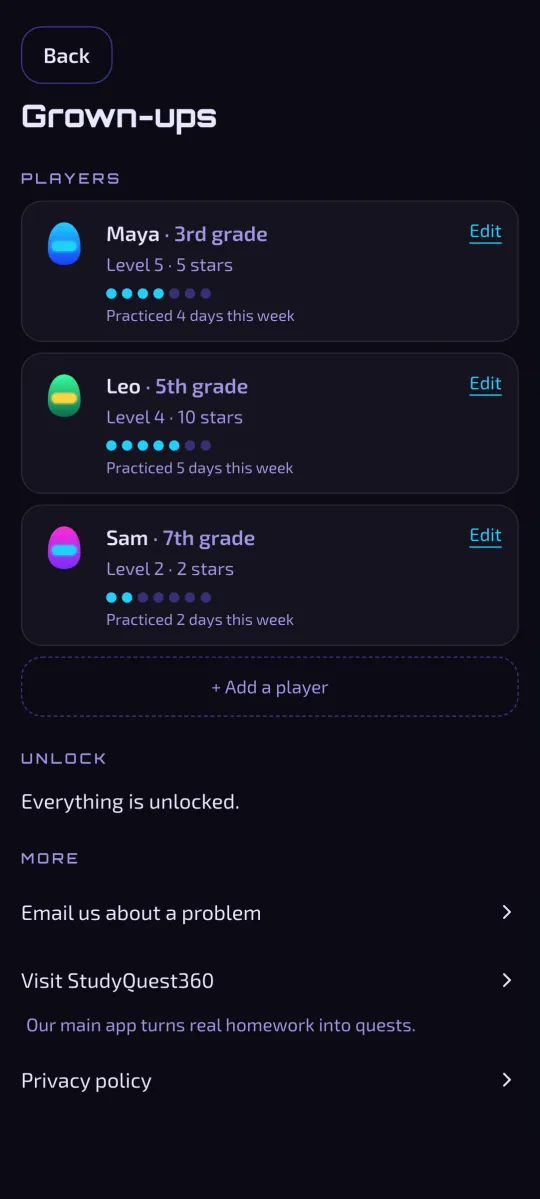
Each kid gets their own pilot, level and grade, so the whole family can share one phone. Behind a quick number check, you can see who practiced this week, change a grade, or add a player.
No. The three starter games and every times table cost nothing. One purchase unlocks the rest, and that's the whole price. The store shows it before you buy.
Six more games (territory capture, snake, a block stacker, alien invaders, a portal flyer and tower defense) plus Math, English and Science for grades 2 through 12. That's 231 topics and 3,233 questions.
Yes. Open any topic and tap See all the answers. Every question shows a star once it is learned, or a practice mark if it got missed. For times tables that is the whole grid, fact by fact.
Times tables work for anyone learning them. The subjects cover grades 2 through 12, and each kid picks their grade the first time they open one. A grown-up can change it later.
No. There is no sign-up, no email and no login. Your kid opens it and plays.
Nothing. There are no ads, no analytics and no tracking. Names, grades and progress stay on the phone. The privacy policy is short if you want to read it. Privacy
No. The games play offline. Buying or restoring the unlock needs a connection, because the store handles it.
Yes. Add a player for each kid from the Grown-ups screen. One purchase covers every player on that phone.
Install it, open Grown-ups and tap Restore purchase, and the unlock comes back. Progress lives on the old phone, so it doesn't move over.
Not yet. It's coming.
No. This is its own app. StudyQuest360 is our homework app, and you don't need it to play these.